vue2中的动态路由

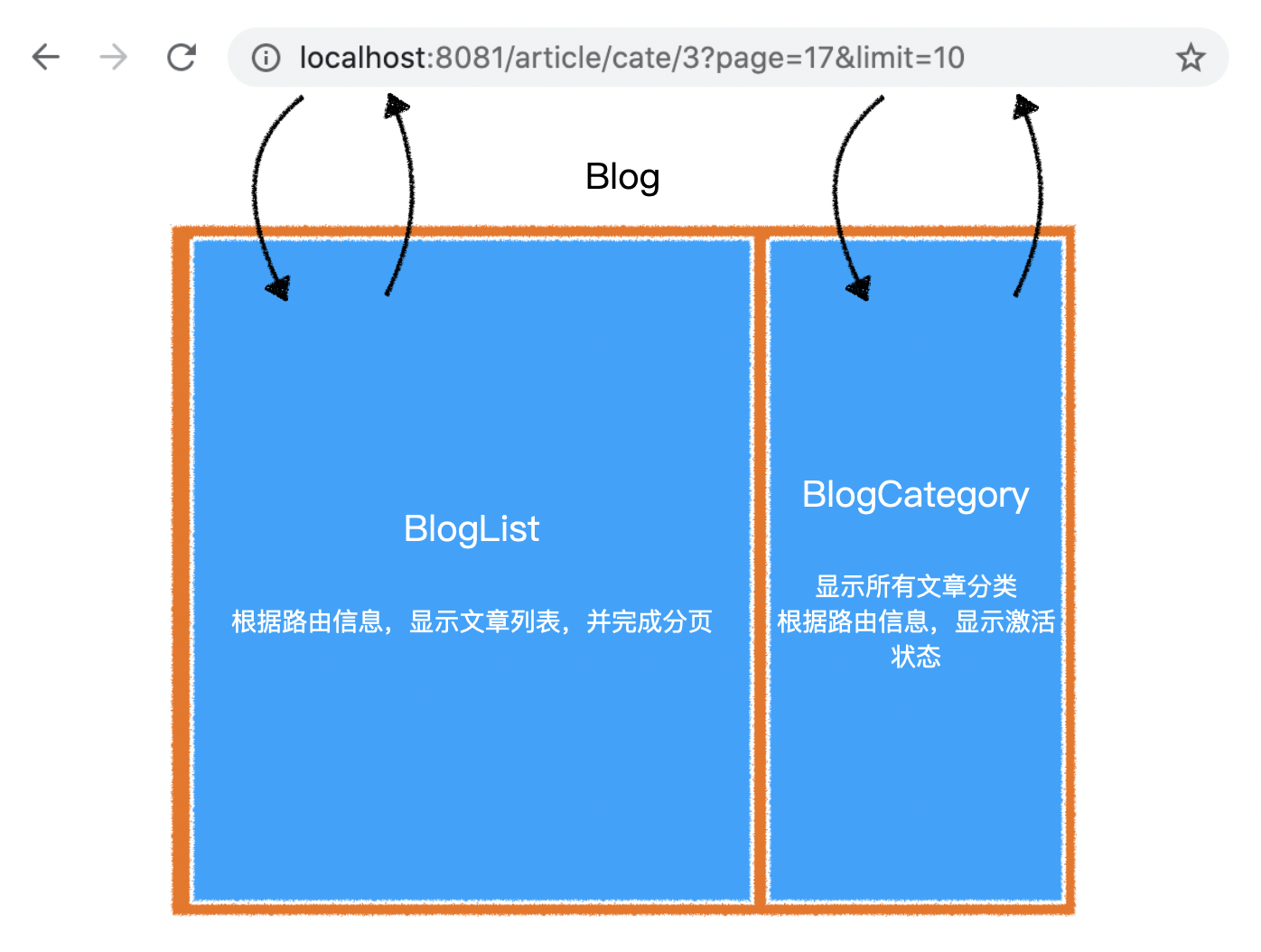
文章列表页逻辑

路由跳转逻辑
动态路由-路由跳转逻辑

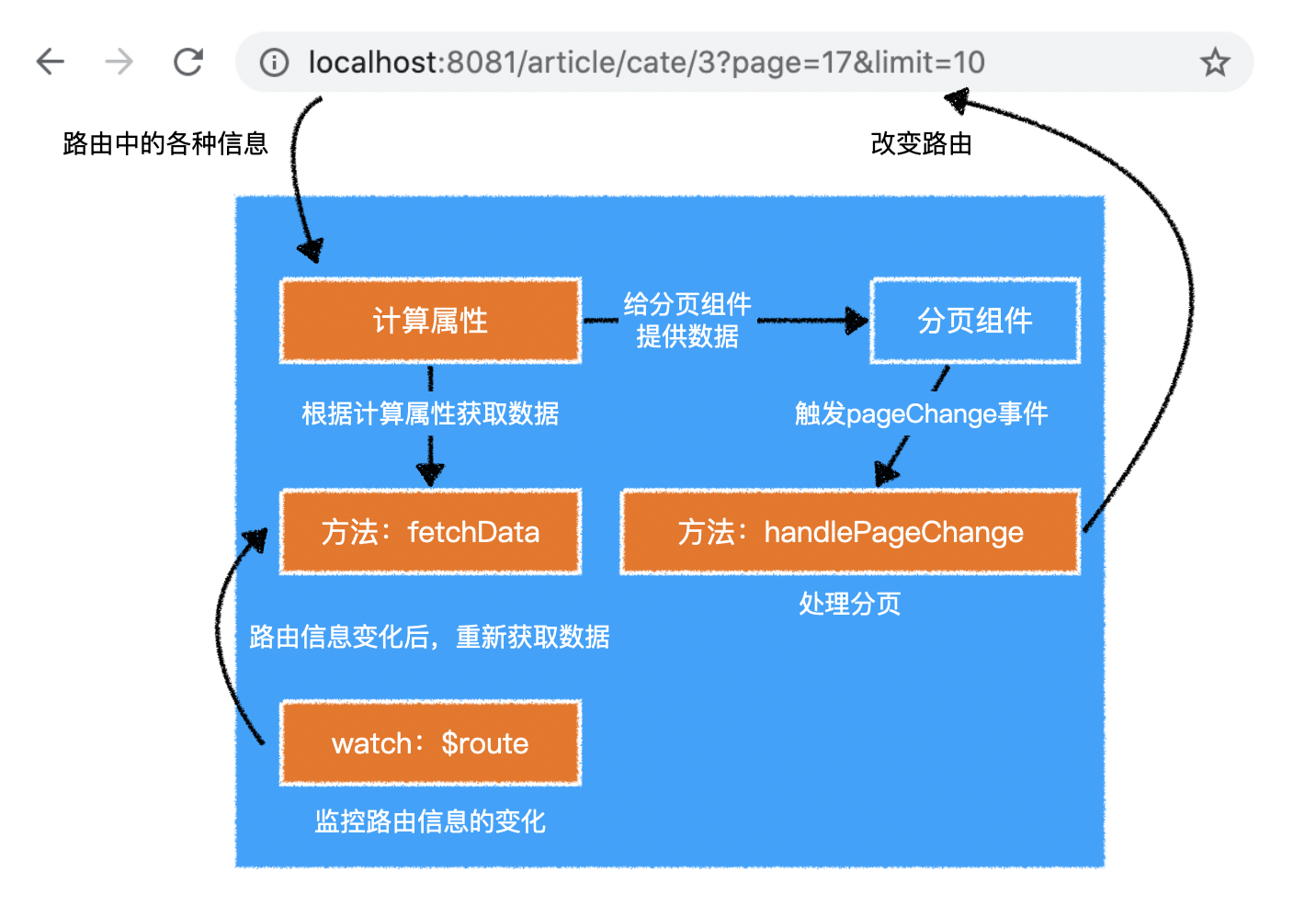
组件逻辑

动态路由-组件逻辑

BlogList

动态路由-BlogList

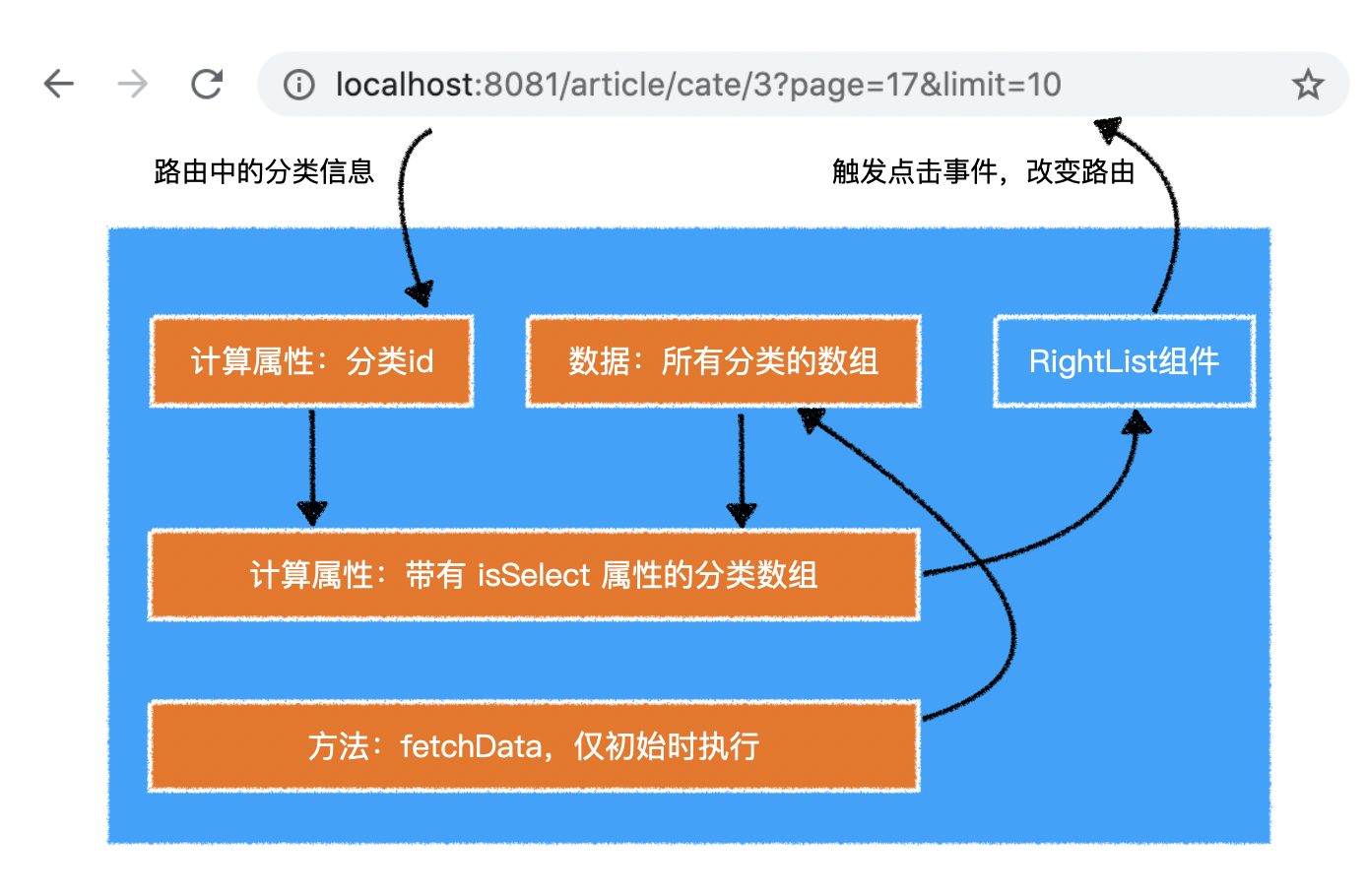
BlogCategory

动态路由-BlogCategory

知识

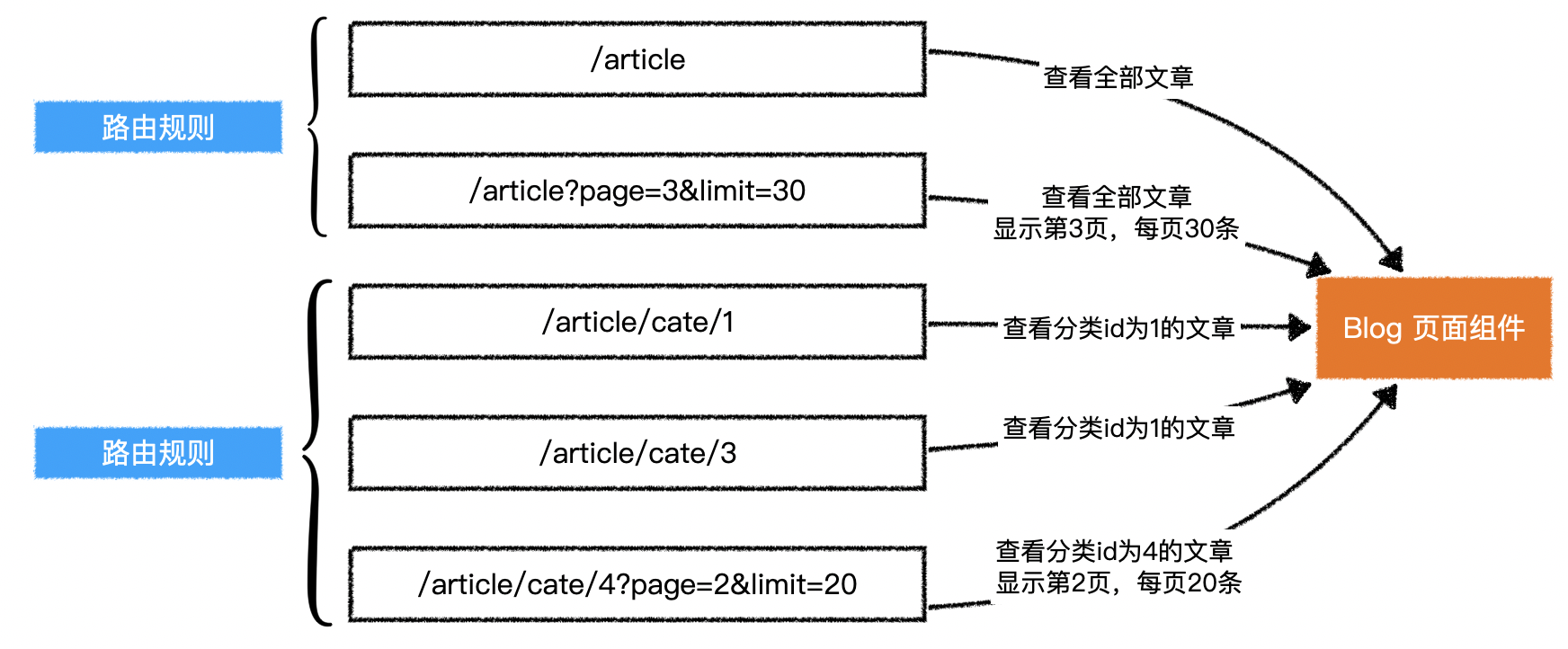
动态路由

我们希望下面的地址都能够匹配到Blog组件

  • /article,显示全部文章
  • /article/cate/1,显示分类id1的文章
  • /article/cate/3,显示分类id3的文章

第一种情况很简单,只需要将一个固定的地址匹配到Blog组件即可

1
2
3
4
5
{
path: "/article",
name: "Blog",
component: Blog
}

但后面的情况则不同:匹配到Blog组件的地址中,有一部分是动态变化的,则需要使用一种特殊的表达方式:

1
2
3
4
5
{
path: "/article/cate/:categoryId",
name: "CategoryBlog",
component: Blog
}

在地址中使用:xxx,来表达这一部分的内容是变化的,在vue-router中,将变化的这一部分称之为params,可以在vue组件中通过this.$route.params来获取

1
2
3
4
// 访问 /article/cate/3
this.$route.params // { categoryId: "3" }
// 访问 /article/cate/1
this.$route.params // { categoryId: "1" }

动态路由的导航

1
2
3
4
5
6
7
8
<router-link to="/article/cate/3">to article of category 3</router-link>

<router-link :to="{
name: 'CategoryBlog',
params: {
categoryId: 3
}
}">to article of category 3</router-link>

编程式导航

除了使用<RouterLink>超链接导航外,vue-router还允许在代码中跳转页面

1
2
3
4
5
6
this.$router.push("跳转地址"); // 普通跳转
this.$router.push({ // 命名路由跳转
name:"Blog"
})

this.$router.go(-1); // 回退。类似于 history.go

watch

利用watch配置,可以直接观察某个数据的变化,变化时可以做一些处理

1
2
3
4
5
6
7
8
9
10
11
12
13
14
15
16
17
18
19
20
21
22
23
24
25
26
27
export default {
// ... 其他配置
watch: {
// 观察 this.$route 的变化,变化后,会调用该函数
$route(newVal, oldVal){
// newVal:this.$route 新的值,等同 this.$route
// oldVal:this.$route 旧的值
},
// 完整写法
$route: {
handler(newVal, oldVal){},
deep: false, // 是否监听该数据内部属性的变化,默认 false
immediate: false // 是否立即执行一次 handler,默认 false
}
// 观察 this.$route.params 的变化,变化后,会调用该函数
["$route.params"](newVal, oldVal){
// newVal:this.$route.params 新的值,等同 this.$route.params
// oldVal:this.$route.params 旧的值
},
// 完整写法
["$route.params"]: {
handler(newVal, oldVal){},
deep: false, // 是否监听该数据内部属性的变化,默认 false
immediate: false // 是否立即执行一次 handler,默认 false
}
}
}